
 Home
Home PC
PC PlayStation
 Xbox
Xbox Nintendo Switch
 Mobile
 Esports
 Anime and Manga

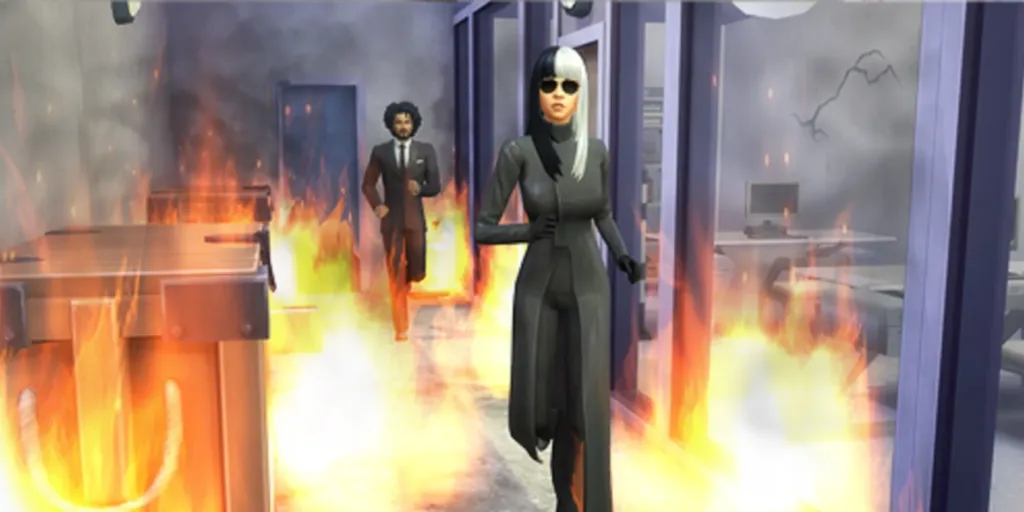
In the life simulation game, The Sims 4, fires can pose a significant threat to Sims’ lives and properties. Whether caused by a fireplace mishap or cooking negligence, it’s crucial to know how to prevent and stop fires. Several effective methods exist to tackle fires in the game:
- Send the Sim to the Shower: When a Sim catches fire, quickly select them and send them to the shower. This may not work in cases involving Jacuzzis or bathtubs.
- Use a Fire Extinguisher: Adult Sims carry a fire extinguisher in their inventory. Send them to the source of the fire and choose “Extinguish Fire” by clicking on the affected object or tile. It’s generally effective, but if the fire has spread significantly, it might be challenging to extinguish.
- Install Ceiling Sprinklers: In Build Mode, purchase and install ceiling sprinklers for 750 Simoleons. These sprinklers act as a proactive measure to prevent fires. They extinguish flames quickly when a fire breaks out in a room.
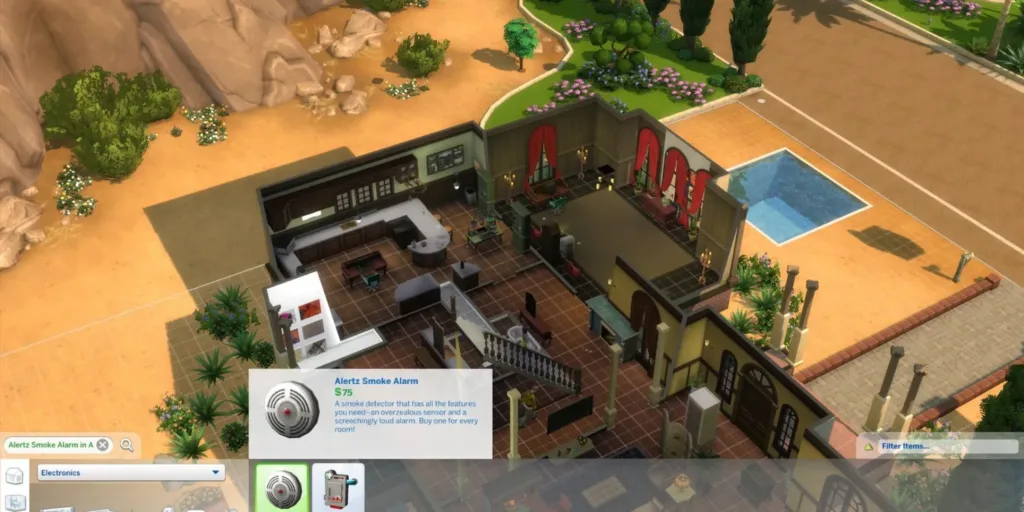
- Set Up Smoke Detectors: Smoke detectors don’t put out fires but alert the fire department. Buy the “Alertz Smoke Alarm” for $75 in Build Mode. It ensures a quicker response from firefighters, reducing damage.
- Use a Cheat to Prevent Fires: Enable cheats by pressing Ctrl+Shift+C (Command key for Mac) or simultaneous triggers for consoles. Type “testingcheats true” to activate cheats. Use the cheat “fire.toggle{off}” to prevent fires. Remember that once this cheat is applied, you can’t start fires intentionally.
These methods offer various ways to handle fires and enhance safety in The Sims 4.
In the life simulation game, The Sims 4, fires can pose a significant threat to Sims’ lives and properties. Whether caused by a fireplace mishap or cooking negligence, it’s crucial to know how to prevent and stop fires. Several effective methods exist to tackle fires in the game:
- Send the Sim to the Shower: When a Sim catches fire, quickly select them and send them to the shower. This may not work in cases involving Jacuzzis or bathtubs.
- Use a Fire Extinguisher: Adult Sims carry a fire extinguisher in their inventory. Send them to the source of the fire and choose “Extinguish Fire” by clicking on the affected object or tile. It’s generally effective, but if the fire has spread significantly, it might be challenging to extinguish.
- Install Ceiling Sprinklers: In Build Mode, purchase and install ceiling sprinklers for 750 Simoleons. These sprinklers act as a proactive measure to prevent fires. They extinguish flames quickly when a fire breaks out in a room.
- Set Up Smoke Detectors: Smoke detectors don’t put out fires but alert the fire department. Buy the “Alertz Smoke Alarm” for $75 in Build Mode. It ensures a quicker response from firefighters, reducing damage.
- Use a Cheat to Prevent Fires: Enable cheats by pressing Ctrl+Shift+C (Command key for Mac) or simultaneous triggers for consoles. Type “testingcheats true” to activate cheats. Use the cheat “fire.toggle{off}” to prevent fires. Remember that once this cheat is applied, you can’t start fires intentionally.
These methods offer various ways to handle fires and enhance safety in The Sims 4.




