
• About
  • Advertise
  • Privacy & Policy
  • Contact
Console Chronicle
  • Home
  • PC
  • PlayStation
  • Xbox
  • Nintendo Switch
  • Mobile
  • Esports
  • Anime and Manga
No Result
View All Result
  • Home
  • PC
  • PlayStation
  • Xbox
  • Nintendo Switch
  • Mobile
  • Esports
  • Anime and Manga
No Result
View All Result
Console Chronicle
No Result
View All Result

Customizing Your Crosshair in Counter-Strike 2: A Guide to Perfecting Your Aim

abalpas by abalpas
April 12, 2025
in PC
0 0
0
0
SHARES
2
VIEWS
Share on FacebookShare on Twitter

Customization options in Counter-Strike 2 extend to equipment and controls, including the crucial ability to tailor your crosshair to your preferences, whether you’re a seasoned CS veteran or a new player. Adjusting your reticle to suit your needs is a common requirement, and the game provides various settings to help you achieve this. Here’s a quick guide on how to change your crosshair in Counter-Strike 2:
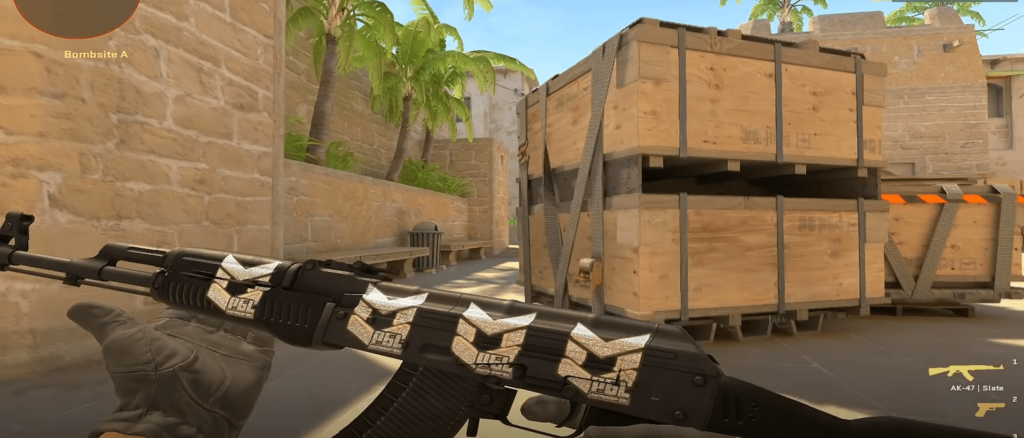
(Credit: Counter Strike)
  1. Access the crosshair settings by clicking on the gear icon at the top left corner of your screen.
  2. Navigate to the Game tab and select Crosshair, which will take you to the crosshair settings.

In this section, you’ll see a dynamic preview of your crosshair as you make adjustments. You can also copy different crosshairs from your teammates while spectating them. Follow these steps to do so:

(Credit: Counter Strike)
  1. Open the game’s scoreboard by pressing Tab.
  2. Activate your cursor by clicking Mouse 2.
  3. Click on the selected player’s profile and choose the Copy Crosshair option.
  4. Confirm your choice by selecting Yes, and the new crosshair will replace your current one.
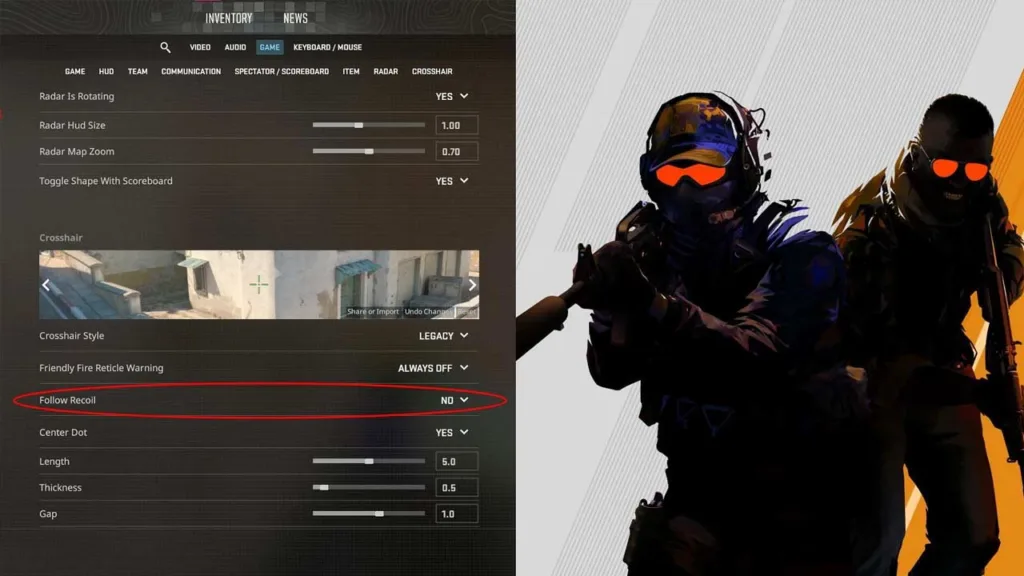
(Credit: Counter Strike)

Counter-Strike 2 also allows you to import or export crosshairs using Crosshair Codes found at the bottom of the preview image in the crosshair settings menu. This feature lets you share or import reticles easily.
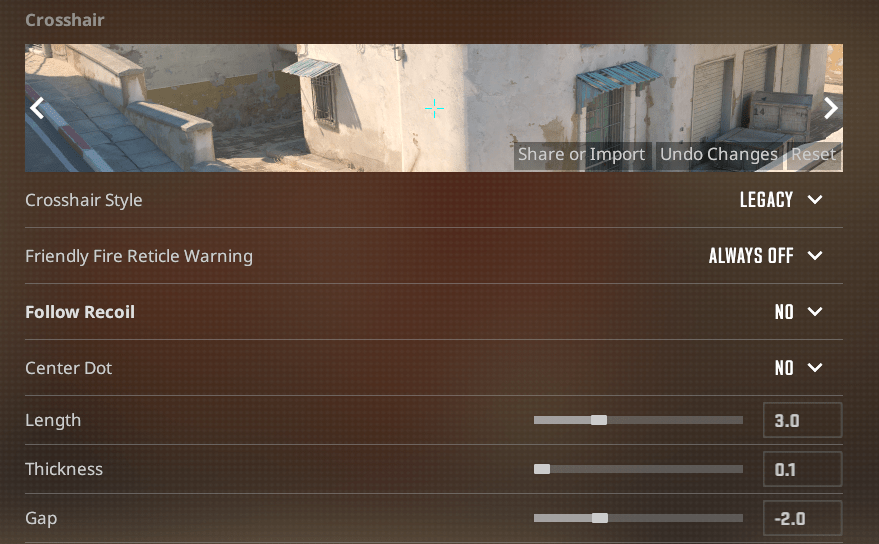
(Credit: Counter Strike)

For crosshair recommendations, the Classic Static option, which is similar to the traditional static crosshair, is favored over dynamic ones. Using Classic Static minimizes distractions, allowing you to concentrate more on accurate aiming. You can experiment further by disabling elements of the crosshair, using only the center dot for precise one-taps, especially at long ranges, with the appropriate rifle.


Share this:

  • Share on Facebook (Opens in new window) Facebook
  • Share on X (Opens in new window) X

Like this:

Like Loading...

Related

Tags: Aim ImprovementCounter Strike 2Crosshair CustomizationGame ControlsGaming tips
Previous Post

Modern Warfare 3 Multiplayer Reveal Offers a Glimpse into Call of Duty’s Sweatiest Future

Next Post

Unlock the Power: Exploring the Best Relic Abilities in Cyberpunk 2077: Phantom Liberty

abalpas

abalpas

Next Post

Unlock the Power: Exploring the Best Relic Abilities in Cyberpunk 2077: Phantom Liberty

Leave a ReplyCancel reply

Latest - Anime & Manga

Amazon introduces AI-made English dubbing for Banana Fish

Amazon introduces AI-made English dubbing for Banana Fish

December 1, 2025
New Girls Band Cry movie officially announced

New Girls Band Cry movie officially announced

September 24, 2025
DAN DA DAN Season 3

DAN DA DAN Season 3 Officially Announced

September 23, 2025

Jujutsu Kaisen Season 3 Trailer Confirms Split Release, Premieres January 2026

September 19, 2025
DAN DA DAN: Evil Eye Sets Early Fan Screening Dates in the Philippines

DAN DA DAN: Evil Eye Sets Early Fan Screening Dates in the Philippines

May 22, 2025
Takopi’s Original Sin Unveils Main Visual, Trailer, June 28 Release, and 6 Episodes Total

Takopi’s Original Sin Unveils Main Visual, Trailer, June 28 Release, and 6 Episodes Total

May 22, 2025
Console Chronicle

© 2026 JNews - Premium WordPress news & magazine theme by Jegtheme.

Navigate Site

  • Home
  • PC
  • PlayStation
  • Xbox
  • Nintendo Switch
  • Mobile
  • Esports
  • Anime and Manga

Follow Us

Welcome Back!

Login to your account below

Forgotten Password? Sign Up

Create New Account!

Fill the forms below to register

All fields are required. Log In

Retrieve your password

Please enter your username or email address to reset your password.

Log In

Add New Playlist

No Result
View All Result
  • Home
  • PC
  • PlayStation
  • Xbox
  • Nintendo Switch
  • Mobile
  • Esports
  • Anime and Manga

© 2026 JNews - Premium WordPress news & magazine theme by Jegtheme.

Discover more from Console Chronicle

Subscribe now to keep reading and get access to the full archive.

Continue reading


Loading Comments...
 

    %d

