
• About
  • Advertise
  • Privacy & Policy
  • Contact
Console Chronicle
  • Home
  • PC
  • PlayStation
  • Xbox
  • Nintendo Switch
  • Mobile
  • Esports
  • Anime and Manga
No Result
View All Result
  • Home
  • PC
  • PlayStation
  • Xbox
  • Nintendo Switch
  • Mobile
  • Esports
  • Anime and Manga
No Result
View All Result
Console Chronicle
No Result
View All Result

Starfield Mods Guide: How to Remove and Swap Weapon Mods

owaizkh by owaizkh
April 12, 2025
in PC
0 0
0
0
SHARES
19
VIEWS
Share on FacebookShare on Twitter

Introduction: In the vast universe of Starfield, players often seek to optimize their weapons for the myriad challenges they encounter. This guide delves into the intricacies of modifying your weapons, focusing on the vital process of removing and swapping weapon mods. By the end of this guide, you’ll be well-versed in the art of fine-tuning your arsenal for galactic adventures.

How to Remove Weapon Mods in Starfield:

(Credit: Bethesda Game Studios)

Removing weapon mods in Starfield is a straightforward process that allows you to adapt your weaponry to evolving combat situations. Follow these steps:

  1. Locate a Weapon Workbench: Begin by finding a weapon workbench, which can typically be found at key locations such as The Lodge on New Atlantis or various outposts.
  2. Access the Workbench: Interact with the workbench to initiate the modification process.
  3. Choose Your Weapon: From your inventory, select the weapon from which you wish to remove a mod.
  4. Select the Mod Slot: Identify the mod slot associated with the modification you want to remove.
  5. Choose ‘No Mod’: Within the mod slot, opt for ‘No Mod’ from the available options. Alternatively, you can replace the existing mod with a different one if desired.

It’s important to note that once a mod is removed, you won’t be able to reinstall it unless you possess the necessary resources for crafting. To avoid unnecessary resource expenditure, carefully consider whether the mod you intend to remove is truly expendable in your future endeavors.

Swapping Mods in Starfield:

(Credit: Bethesda Game Studios)

Starfield offers a convenient option for players who prefer to swap mods rather than completely remove them. If the ‘No Mod’ option is unavailable, follow these steps:

  1. Select a New Mod: Instead of choosing ‘No Mod,’ select a different mod from the available list.
  2. Pay the Fee: Be prepared to cover the cost associated with both removing the current mod and installing the new one.

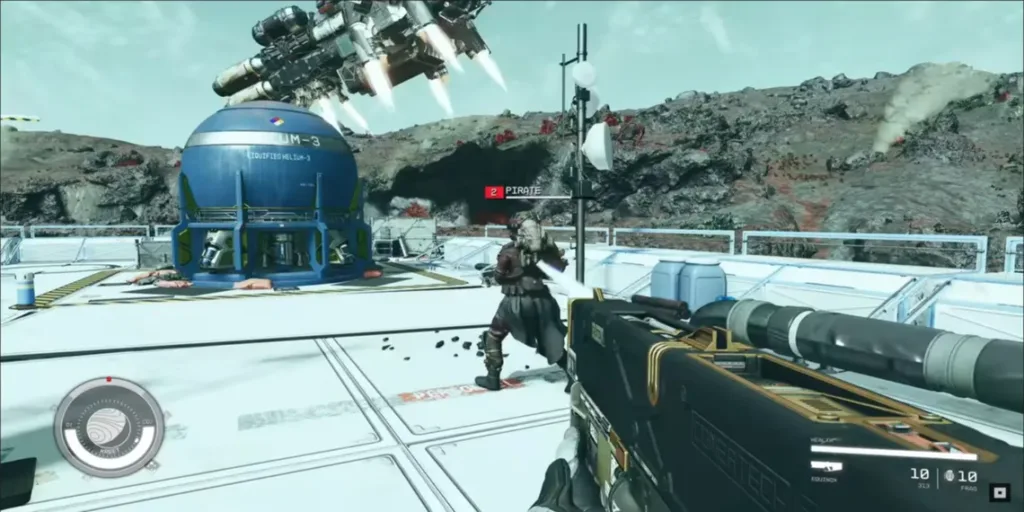
Tips for Removing Weapon Mods in Starfield:
(Credit: Bethesda Game Studios)
  1. Perks and Uniqueness: When deciding to remove mods, consider how specific perks may enhance the uniqueness and rarity of your weapon.
  2. Permanent Perks: Keep in mind that mods with legendary, epic, or rare perks cannot be removed.
  3. Mod Swapping: Explore the option of swapping mods to preserve any special perks that are integral to your playstyle.

With these insights, you’re now equipped to confidently modify your weapons in Starfield, ensuring they remain finely tuned for the challenges that await in the cosmos. Happy modding, spacefarer!


Share this:

  • Share on Facebook (Opens in new window) Facebook
  • Share on X (Opens in new window) X

Like this:

Like Loading...

Related

Tags: Removing Weapon ModsStarfieldStarfield Mods GuideSwapping Weapon Mods
Previous Post

Starfield Eyewitness Quest Guide: Convince the Cabinet and Battle Terrormorphs

Next Post

Upcoming Anime Film ‘Rascal Does Not Dream of a Knapsack Kid’ Teases Fans with Full Trailer

owaizkh

owaizkh

Next Post

Upcoming Anime Film 'Rascal Does Not Dream of a Knapsack Kid' Teases Fans with Full Trailer

Leave a ReplyCancel reply

Latest - Anime & Manga

Amazon introduces AI-made English dubbing for Banana Fish

Amazon introduces AI-made English dubbing for Banana Fish

December 1, 2025
New Girls Band Cry movie officially announced

New Girls Band Cry movie officially announced

September 24, 2025
DAN DA DAN Season 3

DAN DA DAN Season 3 Officially Announced

September 23, 2025

Jujutsu Kaisen Season 3 Trailer Confirms Split Release, Premieres January 2026

September 19, 2025
DAN DA DAN: Evil Eye Sets Early Fan Screening Dates in the Philippines

DAN DA DAN: Evil Eye Sets Early Fan Screening Dates in the Philippines

May 22, 2025
Takopi’s Original Sin Unveils Main Visual, Trailer, June 28 Release, and 6 Episodes Total

Takopi’s Original Sin Unveils Main Visual, Trailer, June 28 Release, and 6 Episodes Total

May 22, 2025
Console Chronicle

© 2026 JNews - Premium WordPress news & magazine theme by Jegtheme.

Navigate Site

  • Home
  • PC
  • PlayStation
  • Xbox
  • Nintendo Switch
  • Mobile
  • Esports
  • Anime and Manga

Follow Us

Welcome Back!

Login to your account below

Forgotten Password? Sign Up

Create New Account!

Fill the forms below to register

All fields are required. Log In

Retrieve your password

Please enter your username or email address to reset your password.

Log In

Add New Playlist

No Result
View All Result
  • Home
  • PC
  • PlayStation
  • Xbox
  • Nintendo Switch
  • Mobile
  • Esports
  • Anime and Manga

© 2026 JNews - Premium WordPress news & magazine theme by Jegtheme.

Discover more from Console Chronicle

Subscribe now to keep reading and get access to the full archive.

Continue reading


Loading Comments...
 

    %d

